Chat that helps engineers focus (really!)
Rather than task-switching each time a new message comes in, Zulip's threading model lets you focus on your work for a few hours, and then respond asynchronously. Your messages won’t interrupt newer discussions or get missed in a side thread.
You can have substantive conversations over chat, instead of interrupting your flow with meetings.
Silent mentions tune down the noise for non-urgent matters, and you can follow particular topics to get notified just where your timely attention is needed.

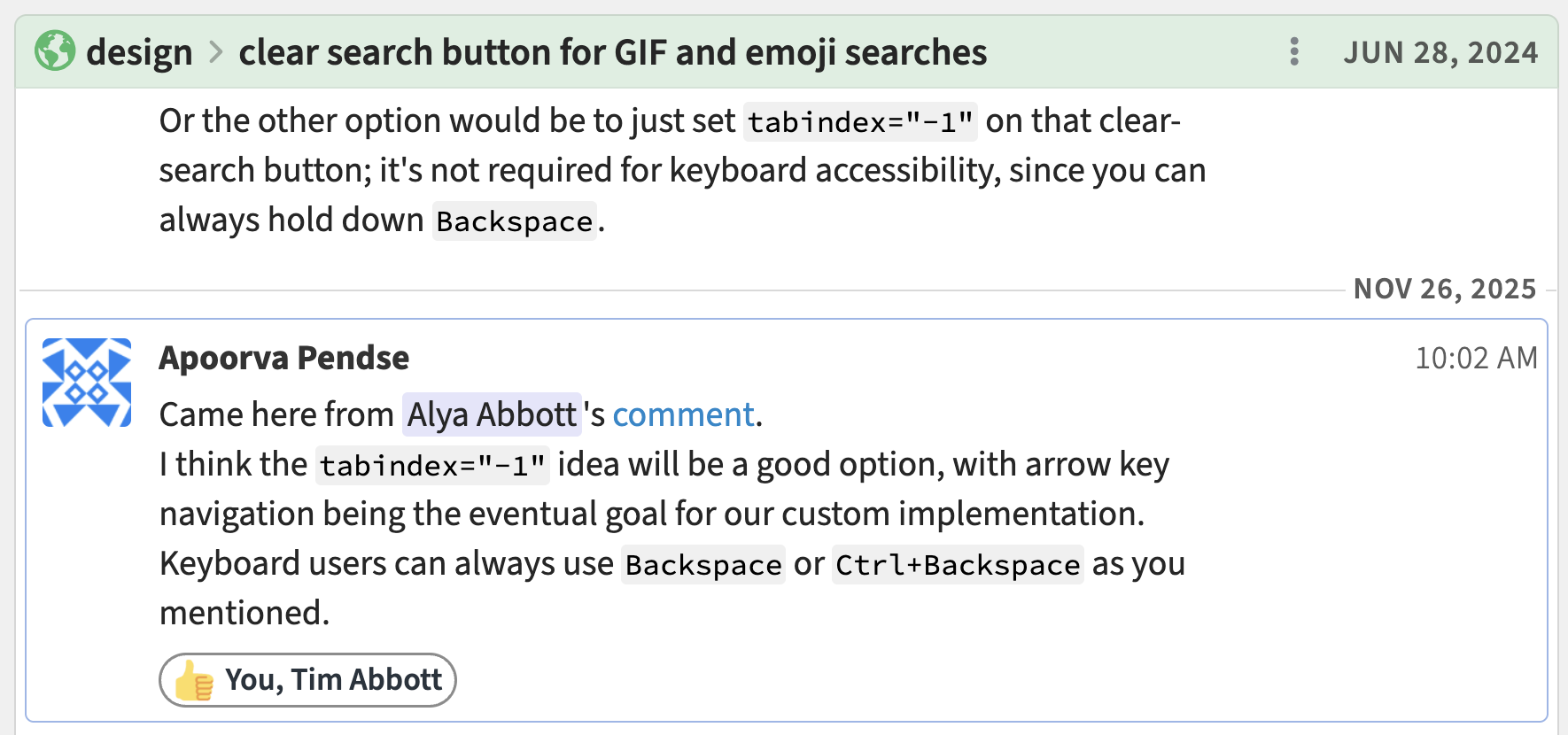
Understand the context behind technical and product decisions
Context is right at hand when you link to Zulip conversations from your issue tracker, design docs, emails, code comments, etc.
With conversations organized by topic, you can ask follow-up questions in the same space, even months later.
Zulip organizes ideas in such a clean and simple way. You get easy readability over months, not just hours like in other apps.
Monitor production systems (without making your chat a mess)
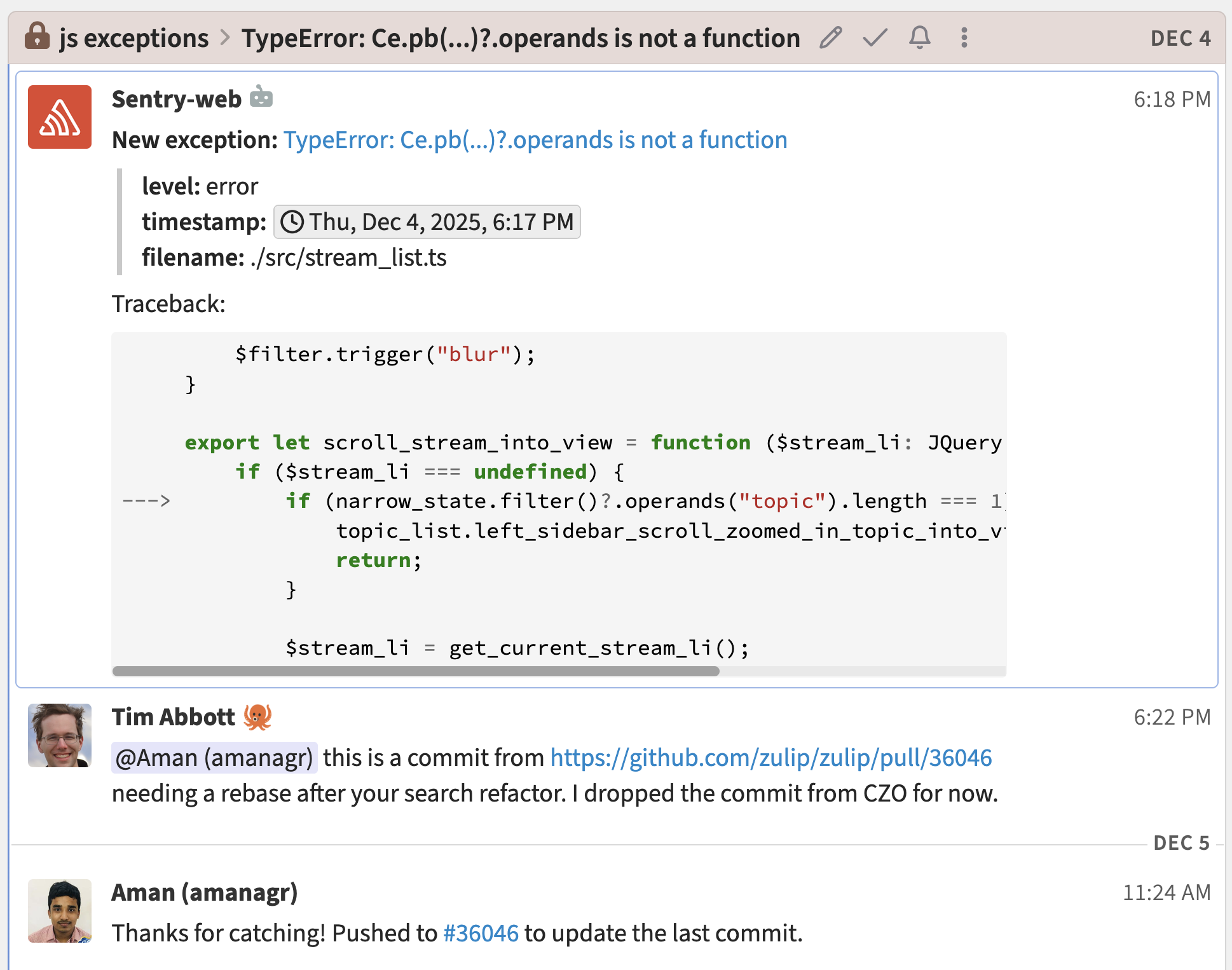
Zulip’s native monitoring tool integrations give you the updates you need without disrupting human conversations.
High-volume automations can send messages to a dedicated topic in your team’s channel. (Your PM and designer can mute this one. 😉) There's no separate channel to keep track of.
Or use a separate topic for each error or incident, automatically creating a lightweight discussion space for each problem your team needs to solve.
Stop stressing about missing important messages
Ever miss a message because it got buried or lost in a side thread? 🤦
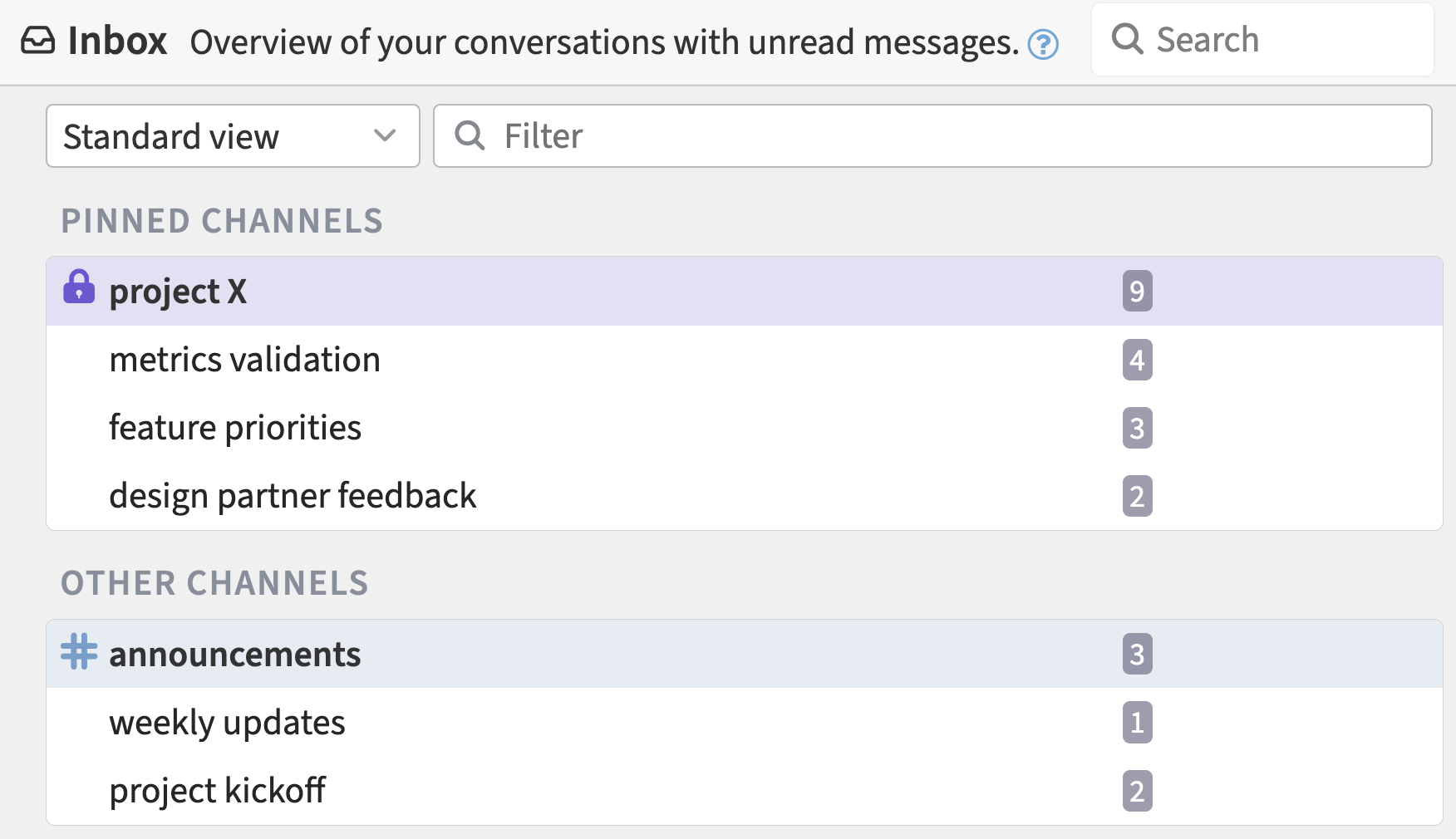
In Zulip, new messages will pop their thread to the top, making updates easy to keep track of in your inbox, recent conversations, and sidebar.
Literally the day we moved to Zulip, all the anxiety and stress of keeping up… was gone.
Team chat becomes an organized knowledge base
With conversations organized by topic, it’s easy to find discussions that help you understand past work, expert opinions, and decisions, and to onboard new team members.
Using Zulip in a way that feels natural creates an organized repository of knowledge as a side effect.
Zulip lets you keep discussions organized by moving or splitting topics when conversations digress.


Open-source platform you can help make even better
We are a values-focused startup, not a faceless mega-corporation.
You can report bugs and give product feedback directly to the product and engineering team in the Zulip development community .
Submit a pull request or run a fork to fix anything that’s bugging you.
Our support is staffed by thoughtful people whose job is to actually solve your problems.
I don’t like going back to Slack now. It’s just not as efficient a way to organize communication.
Fan favorite features:

Powerful Markdown formatting
- Zulip code blocks come with syntax highlighting for over 250 languages, and integrated code playgrounds.
- Code spans, media uploads, spoilers, GIFs, lists, and more — you control how your message looks.
- Type LaTeX directly into messages, and see it beautifully rendered.

Lightning fast
- Zulip is engineered to make every interaction snappy.
- Dozens of keyboard shortcuts let you add and upvote emoji reactions, jump to the next unread conversation, reply, and more.
- Adjust font size and line spacing to make reading feel pleasant, and fit as much information as you like.
The app is extremely fast — you click, and messages show up instantly.

Connect with other tools
- Configure linkifiers for issues (e.g, “JIRA-1234” or “#1234”), documentation pages, websites, and more.
- Native integrations for GitHub, Jira, and hundreds of other tools can initiate new topics, creating lightweight discussion spaces for each issue.
- For a smooth transition, integrations written for Slack can post into Zulip via the Slack compatible webhook.

You've got control
- Make Zulip suit your preferences with flexible settings for notifications, privacy, and more. You can configure default settings for new users.
- Easily write custom integrations with simple, intuitive and stable APIs. Pull message history into an LLM without arbitrary API use restrictions.
- Keep full control of your data when you self-host.
If you integrate an LLM bot into Slack, you can't manage its context window — off-topic messages can poison the context. With Zulip, you can always just start a new topic, and move messages around as needed.
Learn how engineers at End Point Dev, Atolio, and the Rust language community are using Zulip. Please reach out to sales@zulip.com with any questions, or drop by our friendly development community.